
Manga Translation Editor Online For Creators -- AI-assisted translation with full control over every speech bubble
Detect manga text, review contextual AI translations, erase the original lettering, and edit every bubble directly in your browser. Fine-tune masks and typography, process full chapters in batches, and export publication-ready pages.
Built for scanlators, translators, and comic localization teams
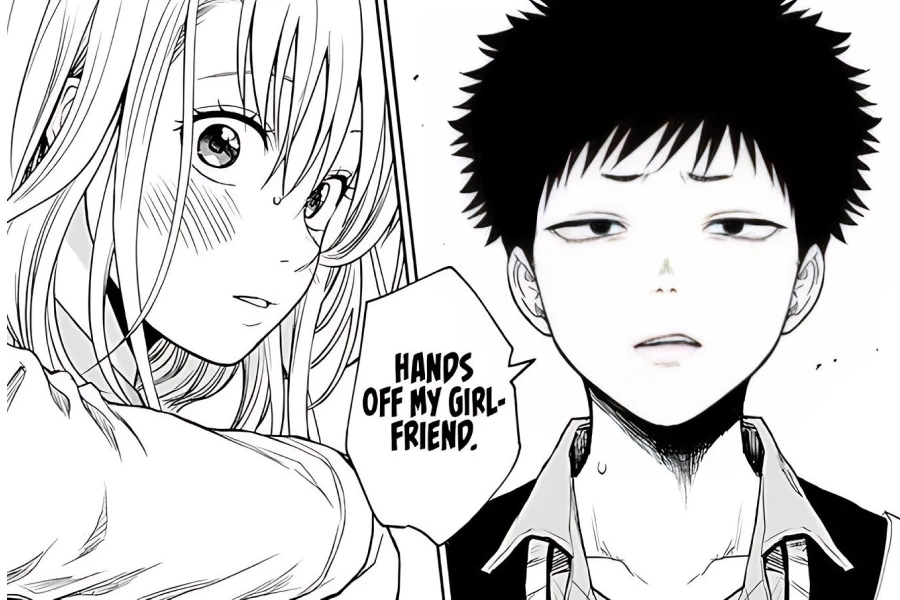
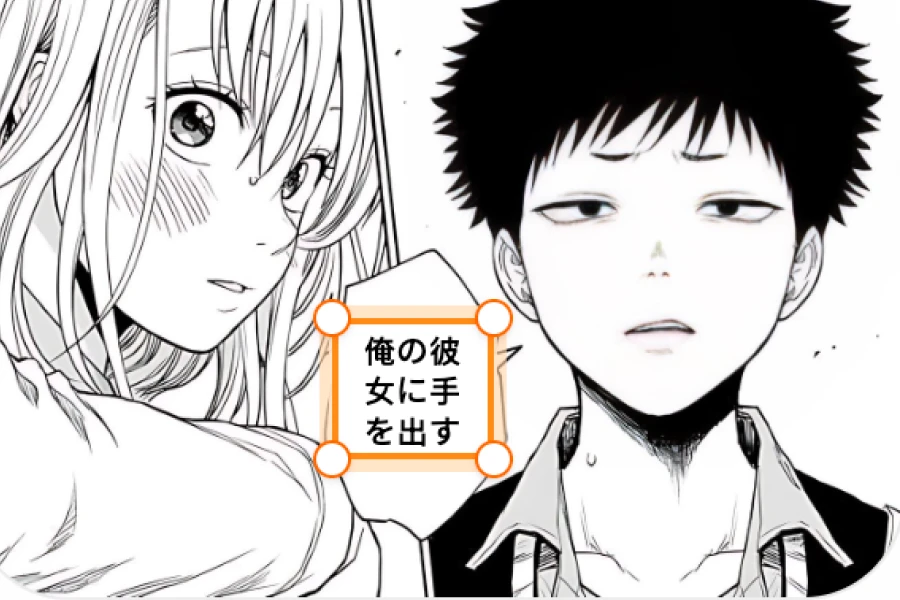
How to edit and typeset manga translations
A semi-automatic manga translation workflow: AI handles detection and the first translation draft while you retain editorial control.
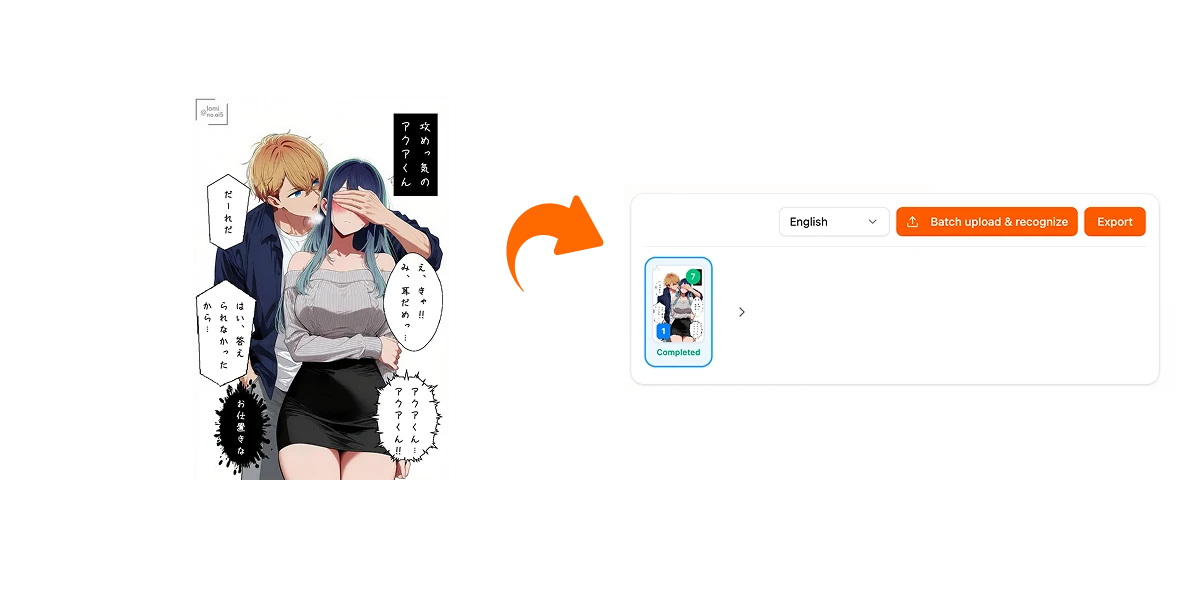
Upload one page or a full chapter
Choose a target language and upload JPG, PNG, or WebP pages. Batch processing detects text blocks across multiple pages without flattening them into a final image.
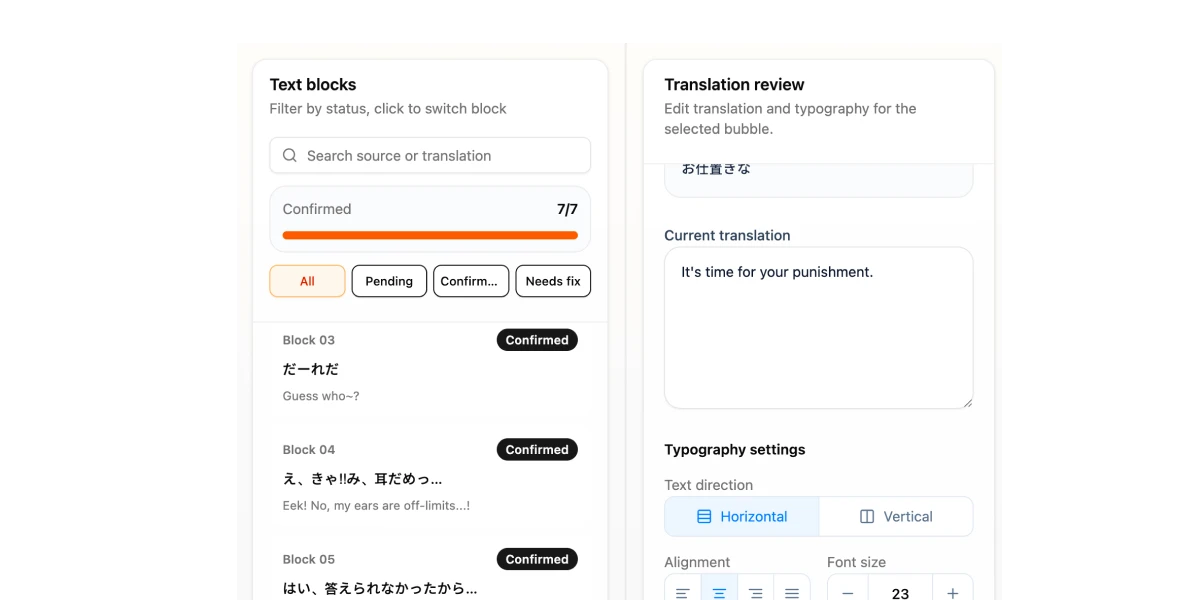
Review each speech bubble
Select any detected block to compare the source text with its contextual AI translation. Rewrite dialogue, adjust font size, line spacing, direction, alignment, and text color.
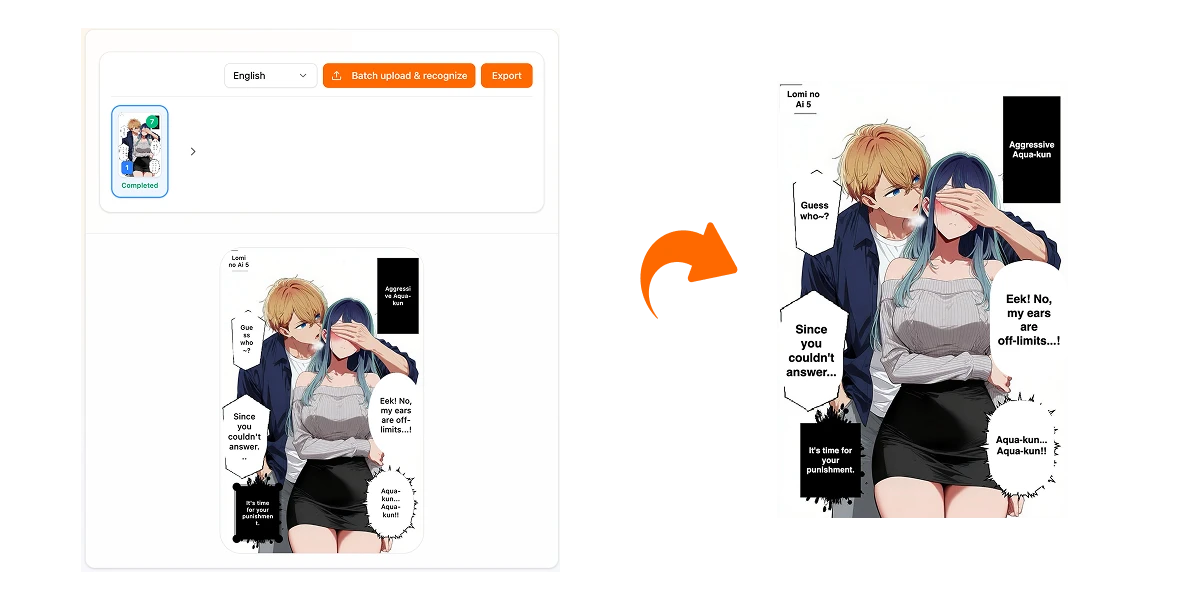
Refine masks and export
Resize the text area, adjust mask corner radius, invert black and white for dark bubbles, then export the current page or download all completed pages in a batch.
Built for scanlation and manga localization
Keep the speed of AI translation while preserving the human review required for character voice, terminology, timing, and readable typesetting.
Source text and translation stay linked to the same detected region.
Click a bubble on the canvas to edit it without switching tools.
Confirm blocks one by one for a clear quality-control workflow.
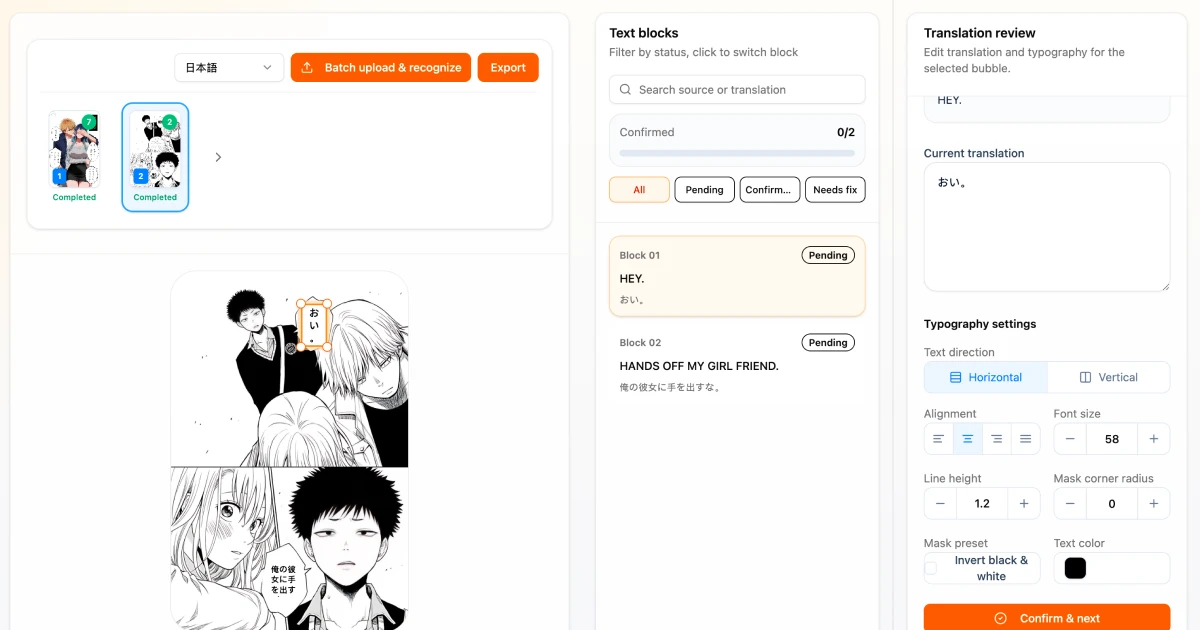
Precise cleanup without destructive editing
The model returns text regions and translations; the browser keeps them editable until export. Tune overlays for light, dark, rounded, or rectangular bubbles before producing the final image.
Drag text-region corners to correct detection boundaries.
Adjust rounded corners to fit the original bubble shape.
Invert black and white for dark speech bubbles.
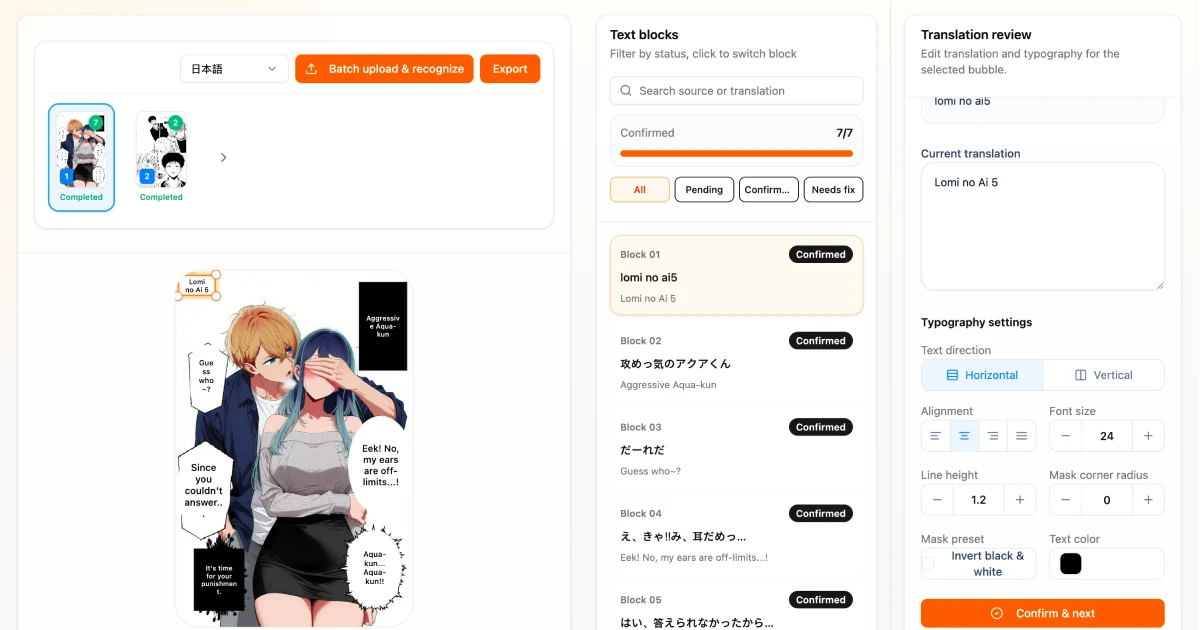
A professional manga translation workspace
More control than a one-click translator, without the setup and repetitive work of a traditional graphics editor.
Context-aware AI translation
Translate all detected blocks with page-level context so dialogue remains more consistent than isolated sentence-by-sentence translation.
Bubble-by-bubble editing
Review the original text and translation side by side, then rewrite any line directly on the page before confirming it.
Text removal and live typesetting
Erase original lettering and preview your edited translation over the artwork with controls for font size, spacing, direction, alignment, and color.
Adjustable rounded masks
Resize each mask and tune its corner radius to match rounded speech bubbles, rectangular captions, and irregular dialogue areas.
Black-and-white inversion
Invert mask and text colors for white lettering on black speech bubbles or other dark manga backgrounds.
Batch processing and export
Process multiple manga pages in one session and export a single edited page or download the whole chapter as a batch.
Manga Translator or Manga Translation Editor?
Use the automatic translator for fast reading. Choose the editor when wording, cleanup, typesetting, and batch quality control matter.
Manga Translation Editor FAQ
Common questions about semi-automatic manga translation, cleanup, editing, and export.
Take control of your manga translation workflow
Upload a page or chapter, review every bubble, refine the cleanup and typesetting, then export polished translated manga.